Where to find the registration link for Azure DevOps these days?
Posted: (EET/GMT+2)
I've used Microsoft's Azure DevOps on-premises server and cloud services for a long time, all the way back to Visual Studio Team Services (VSTS) in 2005. I commonly recommend Azure DevOps for a bit larger teams over GitHub, as especially the work planning features are better. GitHub tends to oversimplify things in my opinion and doesn't support detailed planning well enough for larger projects.
But getting onboard Azure DevOps seems to be harder today than it used to be in the past. Perhaps, Microsoft is trying to move users to GitHub instead. In any case, the question of how you can create yourself a new free account is still open.
For many years, perhaps about five or so, you could go to the Azure DevOps pricing page, scroll down to the pricing table, and under User Licenses and Basic Plan, you'd click the blue button to get started. Today, where the blue button used to be, there's just an empty spot:
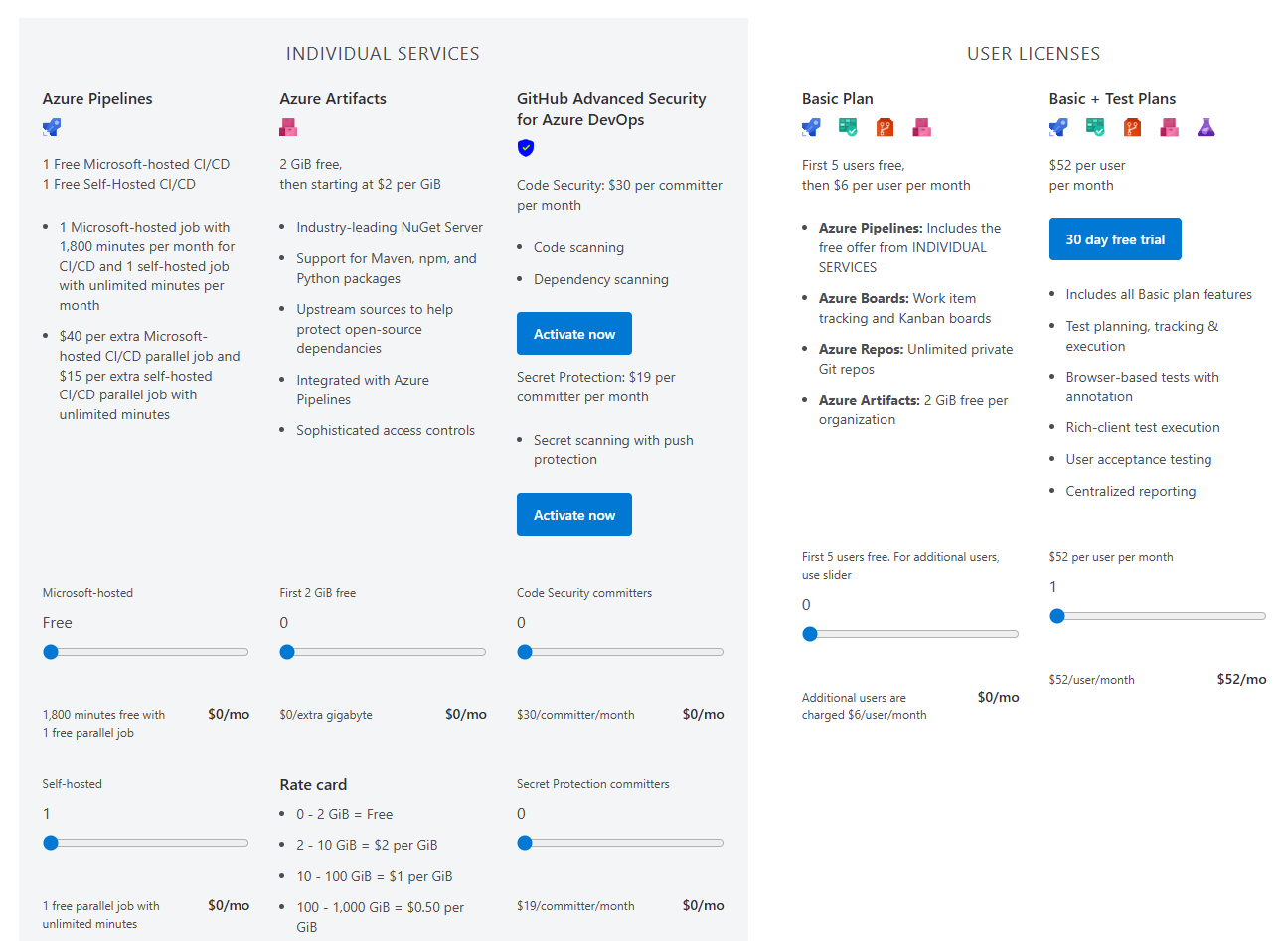
So, what if you want to create a new account today, especially the free one? The only way I've found is to directly navigate to this address:
https://aex.dev.azure.com/
...and then register from there and create your first team project.
Not complicated at all if you know the URL, but why does it require detective work to find it?
What do you think?